
Introduction
QuestionBank is an AI-native question bank management system for teaching research teams, teachers, training organizations, and similar users. It helps you quickly turn questions scattered across Word files, Markdown, and images into a structured, searchable question bank you can build papers from.
Key Features
- Smart multi-format import: Upload Word / Markdown / images and AI extracts structured questions automatically (recognized in the background, then reviewed and saved; refreshing or closing the page never loses progress).
- Multiple question types: Single choice, multiple choice, fill-in-the-blank (with multiple accepted answers), true/false, and free response; rich text + LaTeX formulas.
- Multi-provider AI: Gemini, OpenAI, and any OpenAI-compatible API (DeepSeek, Qwen, self-hosted deployments, etc.); configuration lives in the database and can be switched on the fly.
- Knowledge point RAG: ChromaDB vector search + batch reranking maps AI-suggested knowledge points onto your standard framework.
- Review workflow: Draft → Pending Review → Published → Archived, with review logs, soft delete, and bulk actions.
- Paper building / Question Basket: Filter across criteria, save questions temporarily, and export to Word / LaTeX.
Interface Overview
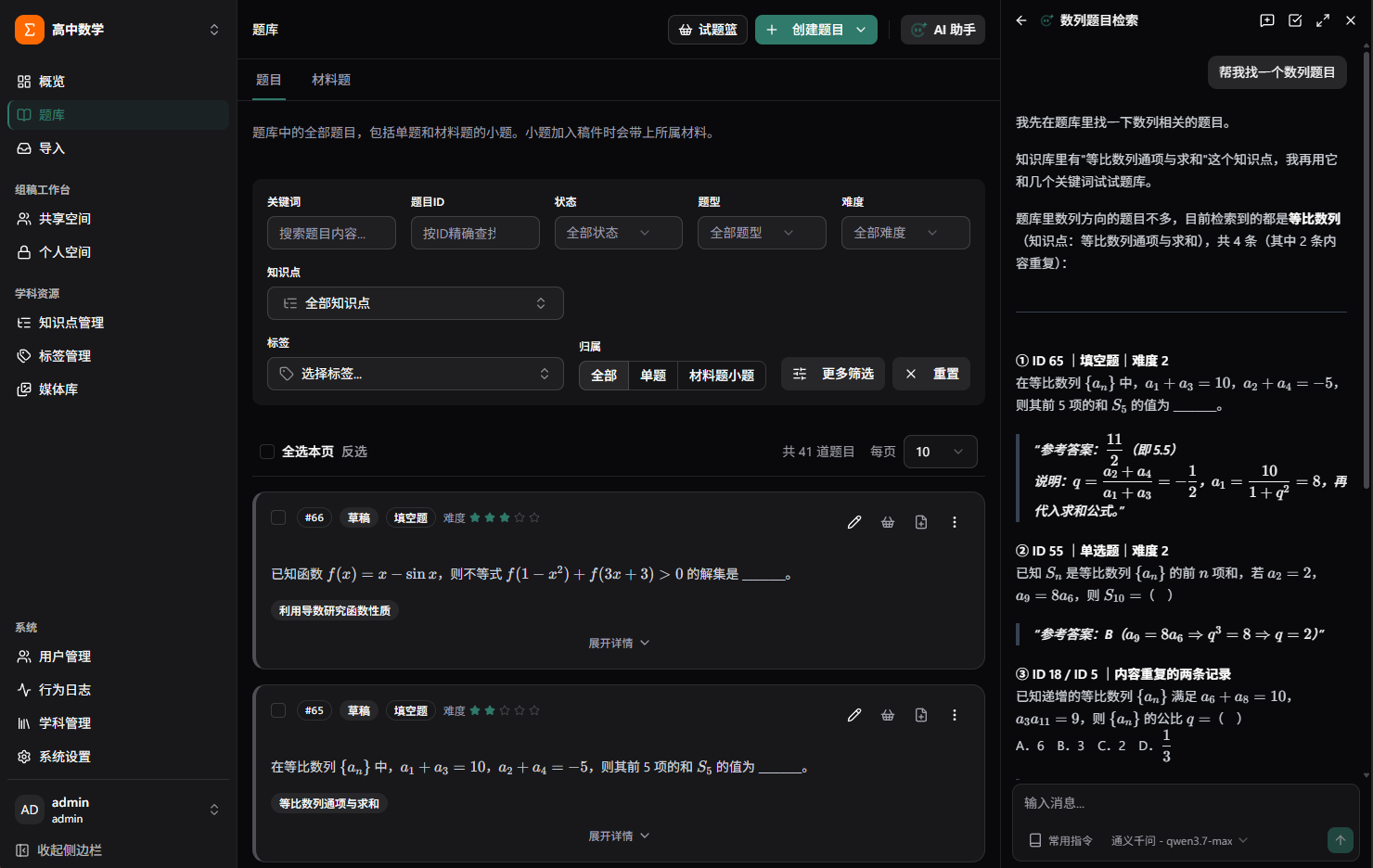
Editions
QuestionBank comes in two deployment editions. Read Editions first to choose the one that fits you:
- Desktop edition (Windows tray app / macOS menu-bar app): works out of the box and suits individuals or small teams; you can turn on LAN sharing from the tray with one click.
- Server edition (Docker Compose): deployed on a server with MySQL, suited to teams and production environments.
Next Steps
- Not sure which edition to use → Editions
- Install the desktop edition → Installation & First Launch
- Deploy the server edition → Docker Compose Deployment
- Explore the features one by one → Feature Guide